

AI Integration Quick Reference
AI Integration Quick Reference
Overview
CometChat UI Kit includes built-in support for extensions that add interactive, secure, and efficient features to chat. Extensions are activated from the CometChat Dashboard and integrate into UI Kit components without additional code. Extensions fall into two groups, which behave differently when an extension is not activated:- Entry-point extensions — Stickers, Polls, Collaborative Document, Collaborative Whiteboard, and Message Translation. Their buttons and menu options render unconditionally. Activation determines whether the underlying action succeeds, not whether the control appears. Hide the ones you don’t offer using the Message Composer and Message List props noted in each section below.
- Data-driven extensions — Link Preview and Thumbnail Generation. These render only when the extension has attached data to a message, so they appear on their own once activated and are invisible until then.
Ensure your app is wrapped in
CometChatProvider with valid credentials. Extensions must be activated from the CometChat Dashboard.Built-in Extensions
The grouping below mirrors the CometChat Dashboard.User Experience
Bitly
Shortens long URLs in text messages using Bitly. See Bitly Extension.Link Preview
Displays a summary (title, description, thumbnail) for URLs shared in chat. See Link Preview Extension. Auto-integrates into the Message Bubble of MessageList when activated.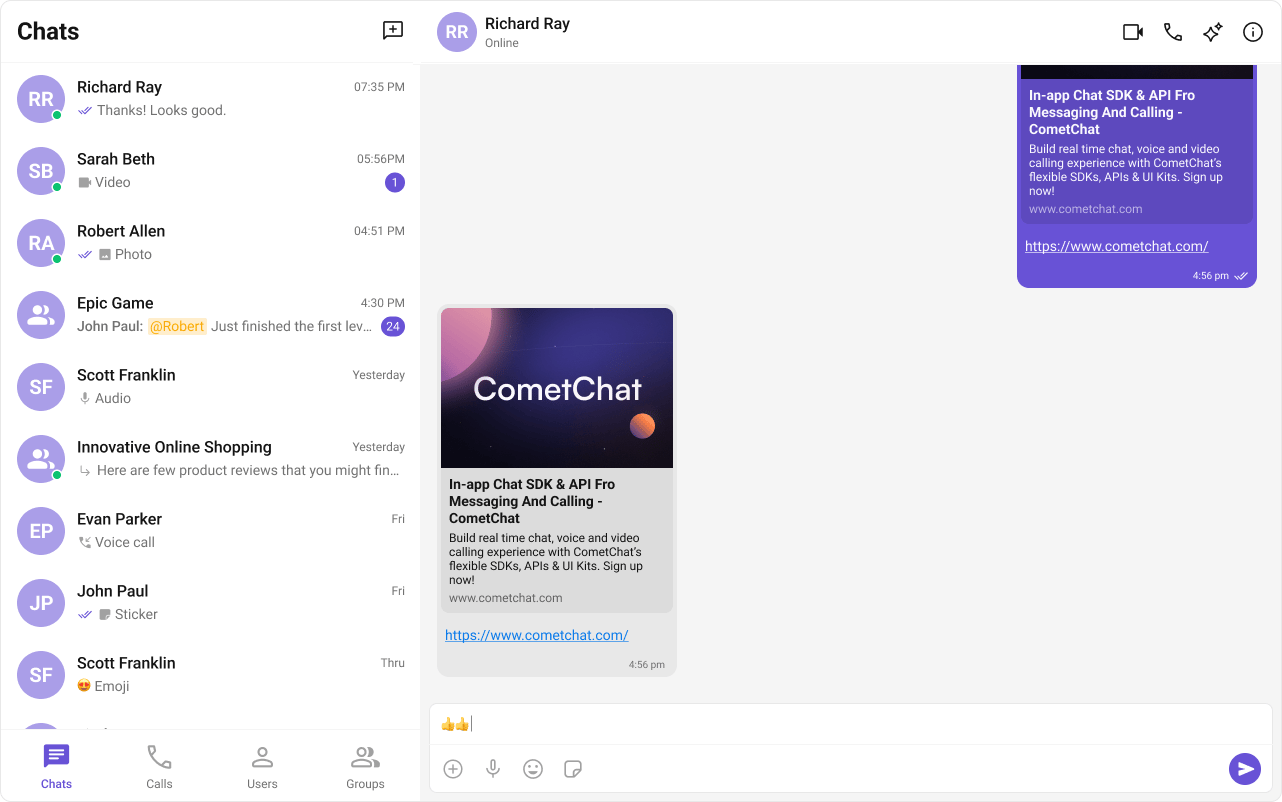
Message Shortcuts
Sends predefined messages using short codes (e.g.,!hb expands to Happy birthday!). See Message Shortcuts Extension.
Pin Message
Pins important messages in a conversation for easy access. See Pin Message Extension.Rich Media Preview
Generates rich preview panels for URLs using iFramely. See Rich Media Preview Extension.Save Message
Bookmarks messages for later reference. Saved messages are private to the user. See Save Message Extension.Thumbnail Generation
Creates smaller preview images for shared images, reducing bandwidth. See Thumbnail Generation Extension. Auto-integrates into the Message Bubble of MessageList when activated.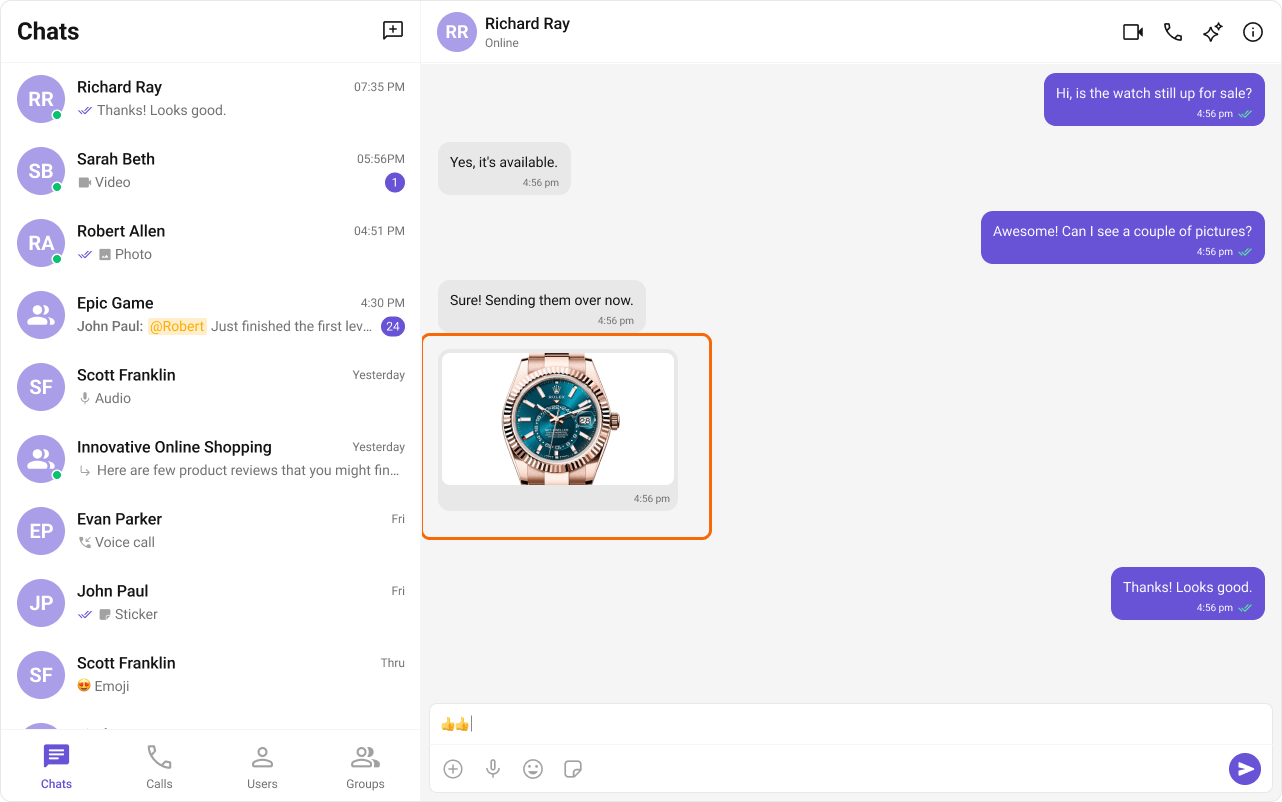
TinyURL
URL shortening using TinyURL. See TinyURL Extension.Voice Transcription
Converts audio messages to text. See Voice Transcription Extension.User Engagement
Giphy
Search and share GIFs from Giphy. See Giphy Extension.Message Translation
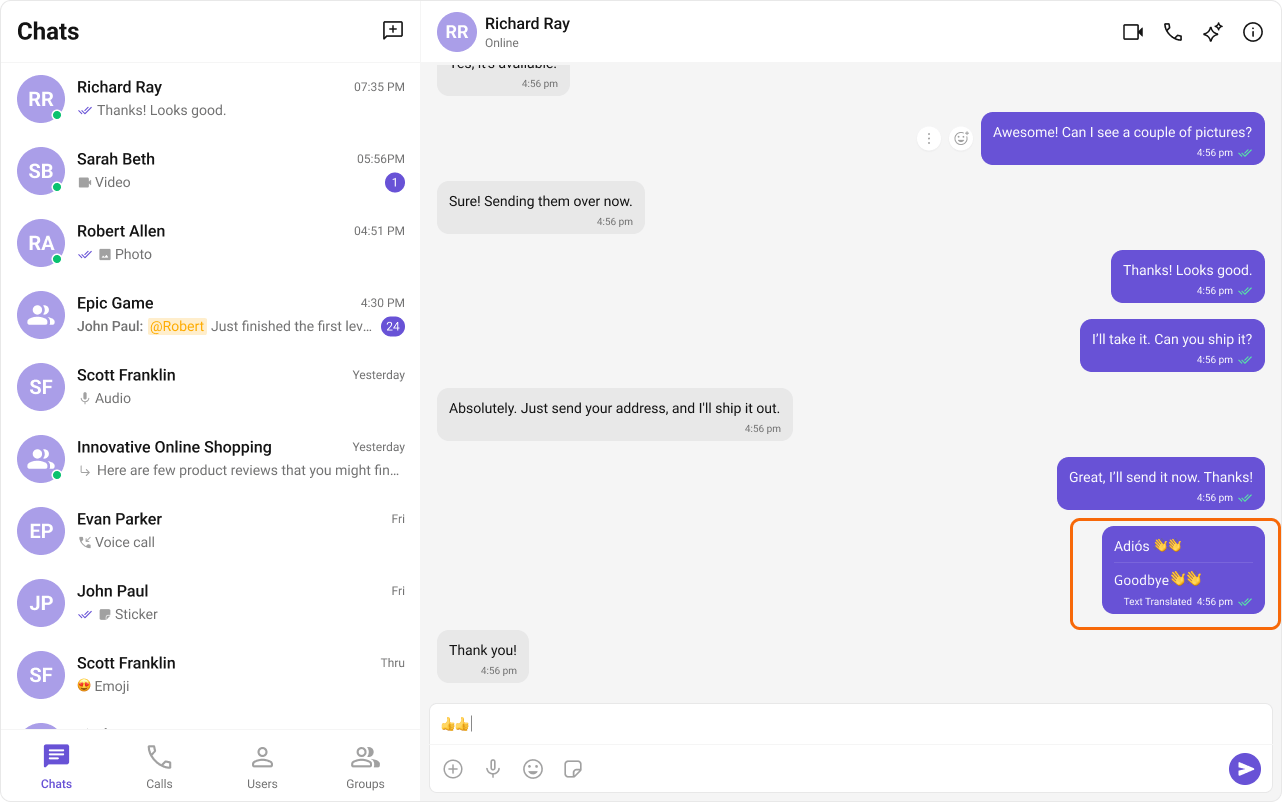
Translates messages into the local locale. See Message Translation Extension. The Translate option is always present in the message options menu of MessageList for text messages, regardless of whether the extension is activated — activation is what makes the translation request succeed. UsehideTranslateMessageOption on the Message List to remove it.
Polls
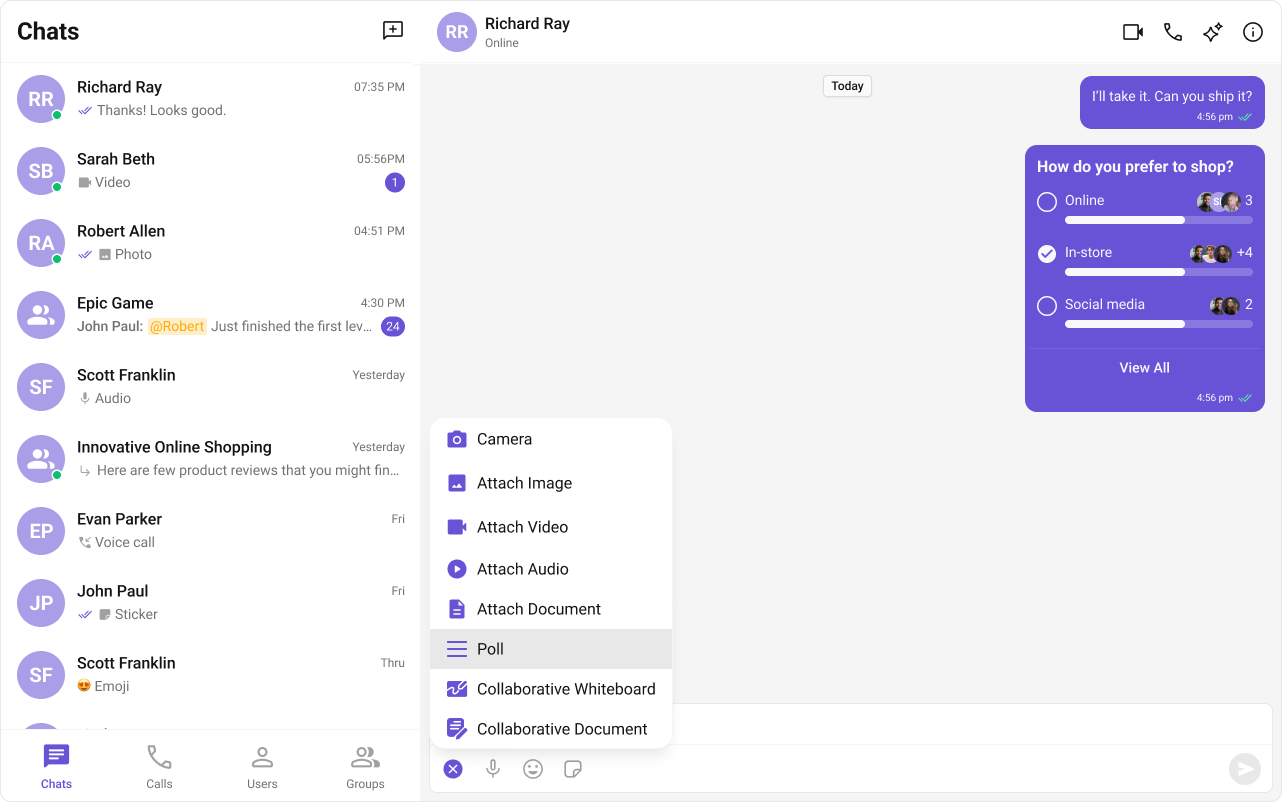
Creates polls in group discussions with predefined answer options. See Polls Extension. The Polls option is always present in the attachment menu of Message Composer, regardless of whether the extension is activated — activation is what makes poll creation succeed. UsehideAttachmentOptions={{ polls: true }} on the Message Composer to remove it.
Reminders
Sets reminders for messages or creates personal reminders. A bot sends a notification when due. See Reminders Extension.Stickers
Sends pre-designed stickers in chat. See Sticker Extension. The sticker button is always rendered in Message Composer, regardless of whether the extension is activated. UsehideStickersButton on the Message Composer to remove the button entirely.
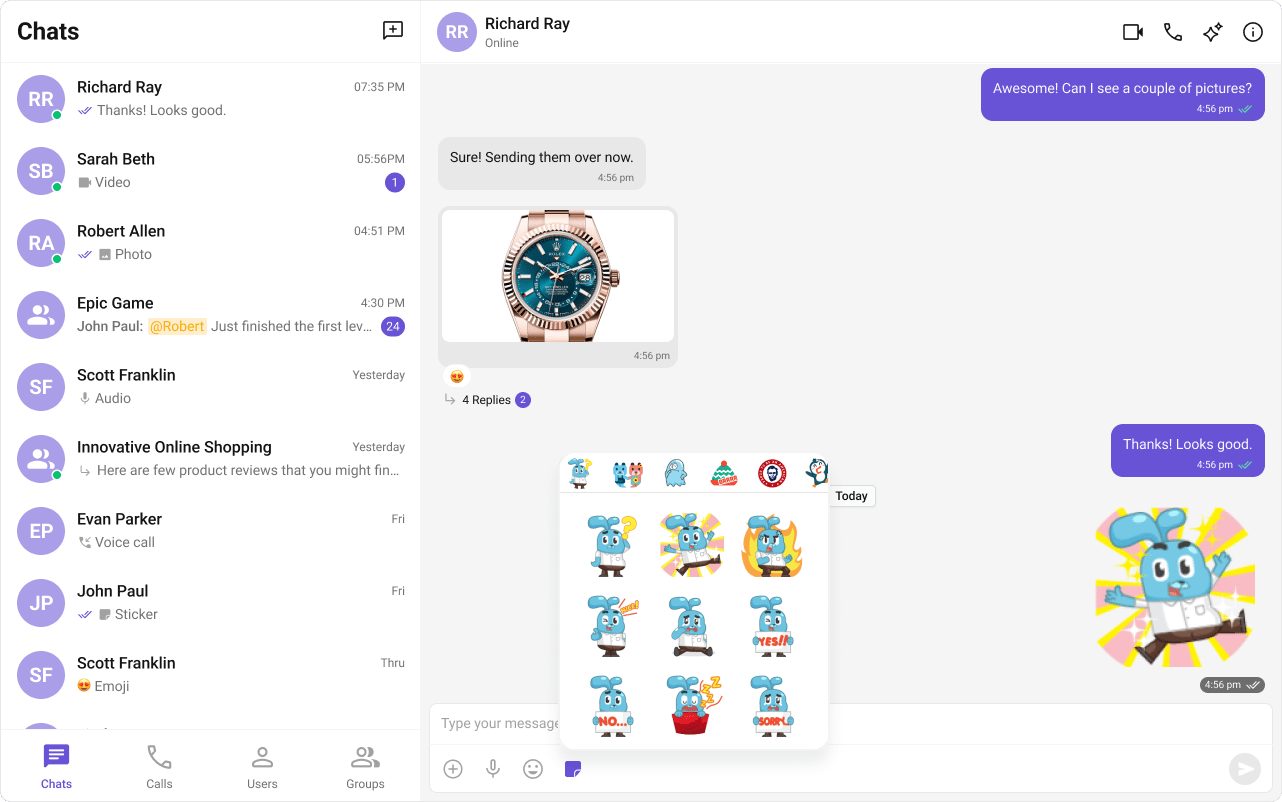
Stipop
Integrates Stipop’s sticker library. See Stipop Extension.Tenor
Search and share GIFs from Tenor. See Tenor Extension.Collaboration
Collaborative Document
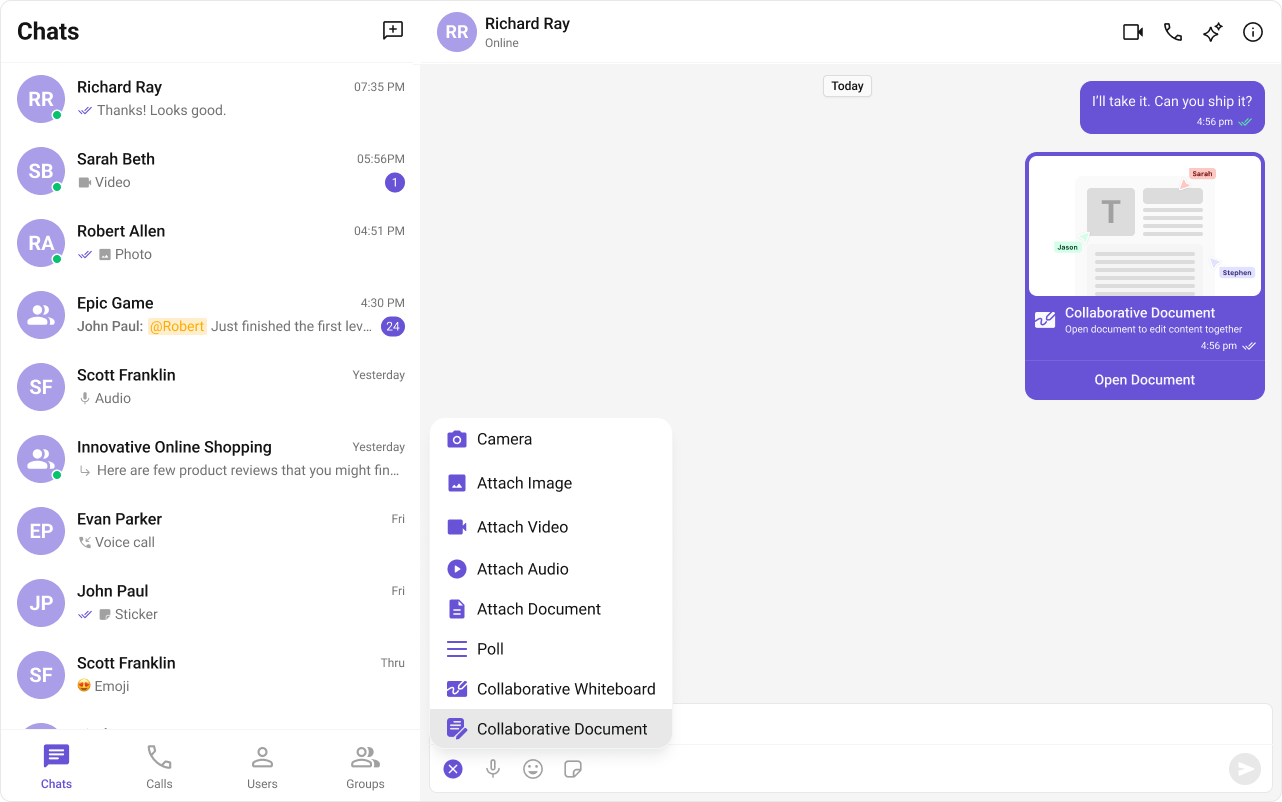
Shared document editing for real-time collaboration. See Collaborative Document Extension. The Collaborative Document option is always present in the attachment menu of Message Composer, regardless of whether the extension is activated — activation is what makes document creation succeed. UsehideAttachmentOptions={{ collaborativeDocument: true }} on the Message Composer to remove it.
Collaborative Whiteboard
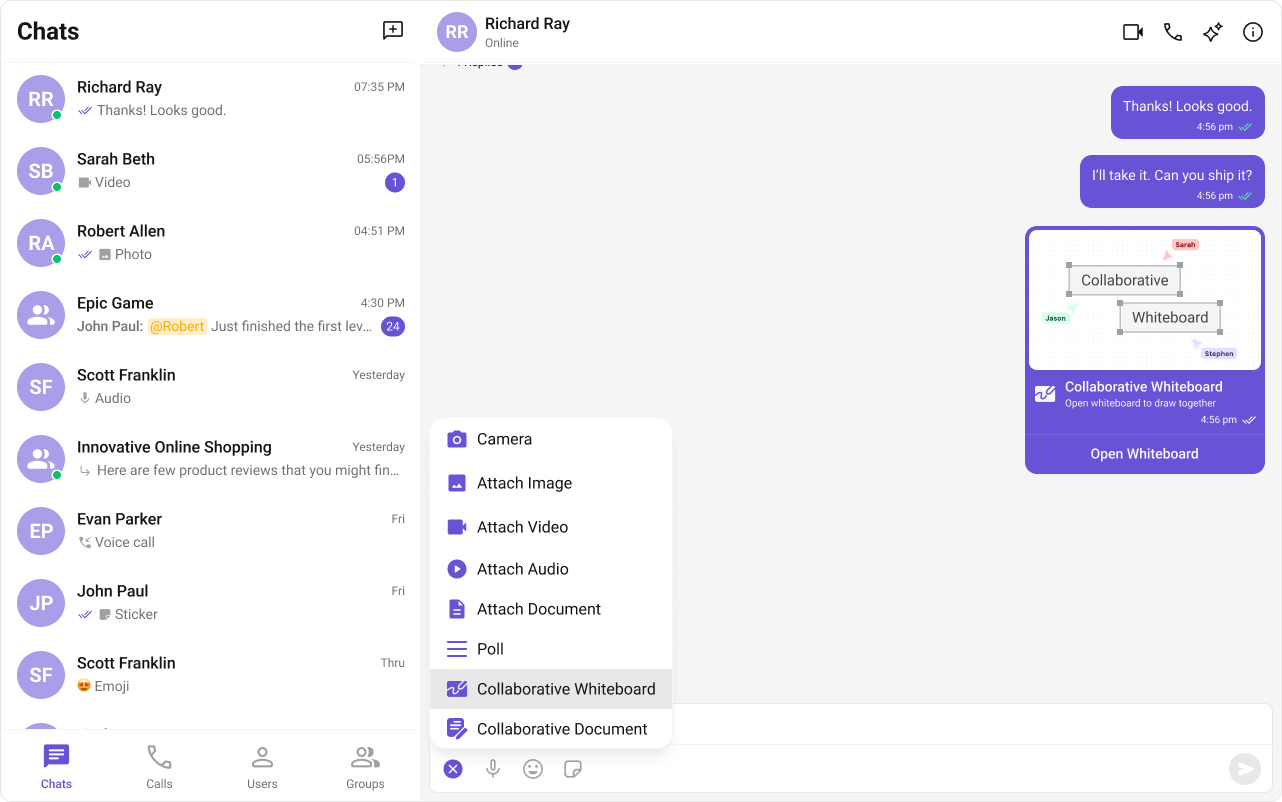
Real-time shared whiteboard for drawing and brainstorming. See Collaborative Whiteboard Extension. The Collaborative Whiteboard option is always present in the attachment menu of Message Composer, regardless of whether the extension is activated — activation is what makes whiteboard creation succeed. UsehideAttachmentOptions={{ collaborativeWhiteboard: true }} on the Message Composer to remove it.
Security
Disappearing Messages
Messages auto-delete after a specified interval. Works for 1:1 and group messages. See Disappearing Messages Extension.Customer Support
Chatwoot
Routes user messages to Chatwoot for customer support. See Chatwoot Extension.Intercom
Integrates Intercom for in-app customer support. See Intercom Extension.Smart Chat Features
Conversation Starter
AI-generated opening messages for new chats. See Conversation Starter and AI Features.Smart Replies
AI-generated response suggestions based on conversation context. See Smart Replies and AI Features.Conversation Summary
AI-generated recap of long conversations. See Conversation Summary and AI Features.Next Steps
Message Composer
Customize the composer where most extensions appear
Message List
Customize the message list for extension-rendered content
Core Features
Core chat features like messaging and reactions
AI Features
AI-powered chat capabilities